


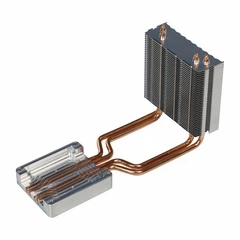
Hey there, tech enthusiasts! I'm a supplier of efficient water cooled blocks, and today we're diving into a hot topic: Can an efficient water cooled block be used in a media center PC?
First off, let's talk about what a media center PC is. It's basically a computer designed to handle media playback, storage, and streaming. You use it to watch movies, listen to music, play games, and maybe even stream your favorite shows. These PCs often run 24/7, and they can generate a fair amount of heat, especially if you're using high - end components.
Now, why would you want to use a water cooled block in a media center PC? Well, traditional air cooling has its limits. Air coolers rely on fans to blow air over heatsinks, and while they're effective to a certain extent, they can be noisy. And when your media center PC is sitting in your living room, the last thing you want is a loud, buzzing fan ruining your movie - watching experience.
Efficient water cooled blocks, on the other hand, are much quieter. They work by circulating water through a block that's in contact with the hot components. The water absorbs the heat and then transfers it to a radiator, where it's dissipated. This process is not only quieter but also more efficient at removing heat.
Let's take a look at the components in a media center PC that could benefit from a water cooled block. The CPU is a major heat - producer. Modern CPUs are incredibly powerful, and they generate a lot of heat when they're under load. If you're using your media center PC for tasks like transcoding videos or running emulators, your CPU is going to be working hard. An efficient water cooled block can keep your CPU at a stable temperature, preventing overheating and potential performance throttling.
The GPU is another component that can get hot. If you're using your media center PC for gaming or 4K video playback, the GPU has to work hard to render all those beautiful graphics. A water cooled block can help keep the GPU cool, ensuring smooth performance and preventing thermal issues.
But how do you choose the right water cooled block for your media center PC? Well, there are a few things to consider. First, you need to make sure the block is compatible with your CPU or GPU. Different components have different socket types, so you'll need to do some research to find a block that fits.
Second, you should look at the cooling performance. Some water cooled blocks are more efficient than others. You can check reviews and benchmarks online to see how well a particular block performs.
Third, consider the size of the block. You'll need to make sure it fits inside your media center PC case. Some cases are small and compact, so you'll need a smaller block.
Now, I know what you're thinking. "All this sounds great, but isn't water cooling expensive?" Well, it can be, but it doesn't have to be. There are some affordable water cooled blocks on the market that offer good performance. And when you think about the long - term benefits, like quieter operation and better component lifespan, it's definitely worth considering.
Let's talk about some of the products we offer. We have a great selection of water cooled blocks that are designed to be efficient and reliable. And we also have related products that might be of interest to you. For example, we offer the Aluminum Heat Pipe Communication Module Heatsink, which is a great option for cooling communication modules.
We also have the Automotive Controller Water Cooling Plate and the Lightweight Automotive Controller Water Cooling Plate, which are perfect for automotive applications but also have some features that could be adapted for PC cooling.
Installing a water cooled block in your media center PC isn't too difficult, but it does require some basic knowledge of PC hardware. You'll need to carefully follow the installation instructions that come with the block. Make sure you have all the necessary tools, like thermal paste and a screwdriver. And if you're not comfortable doing it yourself, you can always take it to a professional.
One thing to keep in mind is that water cooling systems do require some maintenance. You'll need to check the water level regularly and make sure there are no leaks. But don't worry, it's not a huge hassle. Just a little bit of upkeep to ensure your system is running smoothly.
In conclusion, an efficient water cooled block can definitely be used in a media center PC. It offers quieter operation, better heat dissipation, and can help extend the lifespan of your components. If you're tired of dealing with noisy fans and overheating issues in your media center PC, it might be time to consider making the switch to water cooling.
If you're interested in purchasing an efficient water cooled block or any of our other products, feel free to reach out to us for a quote and to start a procurement discussion. We're here to help you find the right cooling solution for your needs.


References
- Various PC hardware review websites for performance data and component compatibility.
- Manufacturer's documentation for water cooled blocks and related products.